EQ
How to EQ: the method
One order for any sound: listen in the mix, cut what does not belong, find the one bad spot with a narrow sweep and cut it, then lift broadly and last. Three bands is normal, small moves are the rule, and a bypass check at matched level is the proof. Shown on a pad in a small digital mix.
1. Listen in the mix
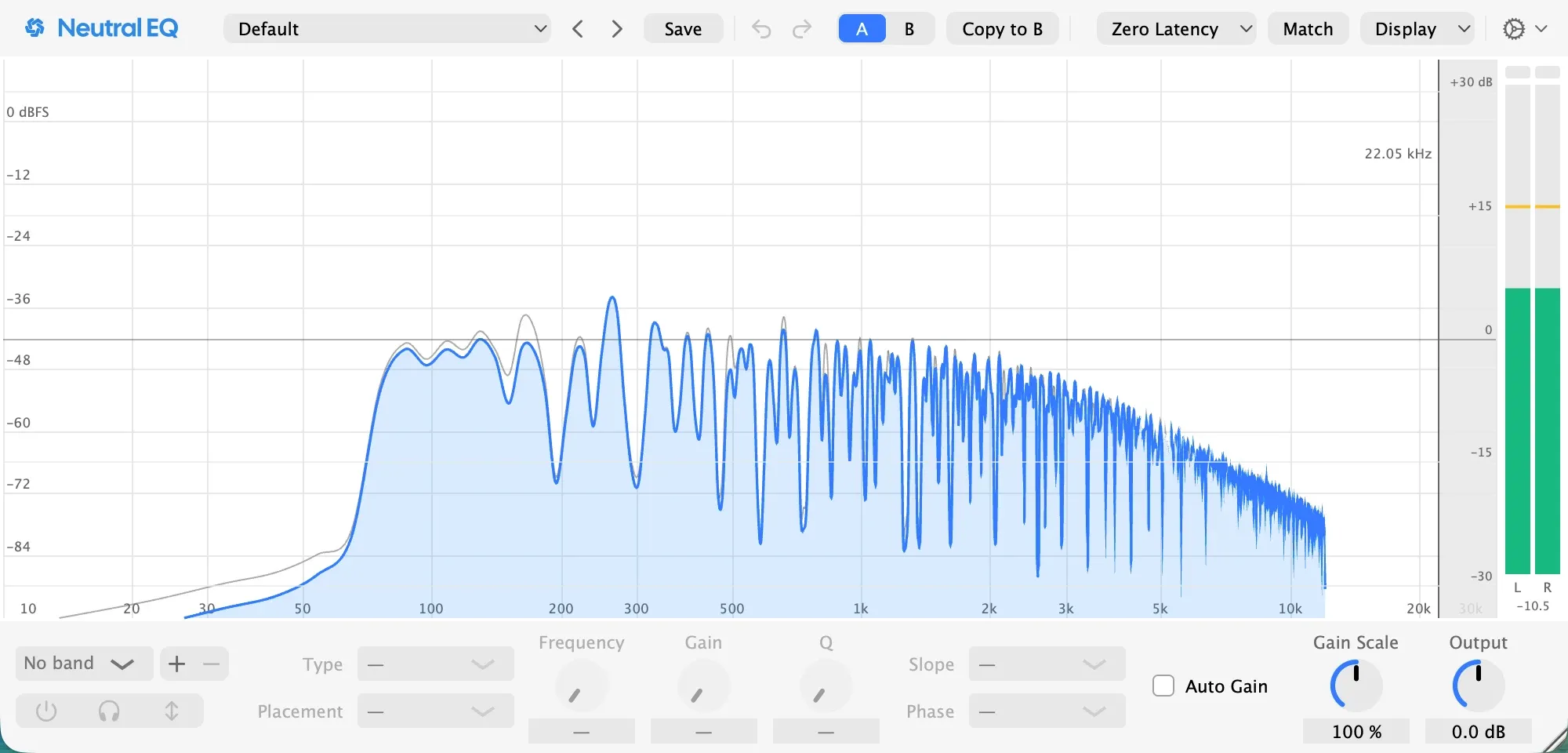
EQ decides where a sound sits among the others, so the song has to be playing while you work. Solo a track to find a problem, then make every decision with everything on. A sound that is perfect alone and wrong in the mix is wrong. The picture above is the pad on this page’s loop, playing with the beat and the bass, before a single band: its lows sit on top of the bass, and there is a bump near 280 Hz that reads as a cardboard box the moment the chords change.
2. Cut what does not belong
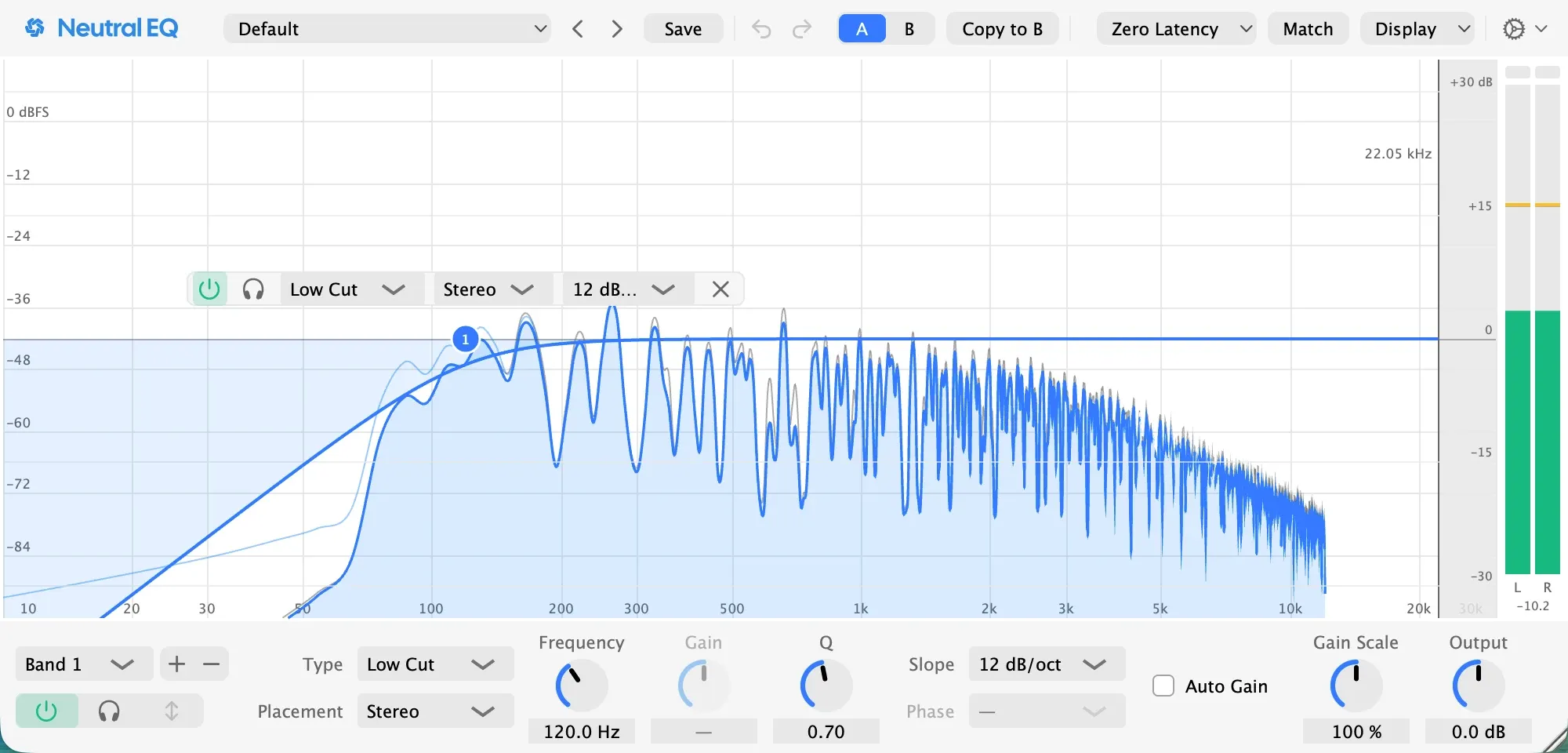
Most EQ is taking away. Start with what the sound has no business carrying: on this pad, everything under 120 Hz, which was only fighting the bass. A low cut at 120 Hz with a gentle 12 dB per octave slope leaves the bass alone to own that range. In a digital session the lows of a pad or a lead are the synth’s, not a room’s; a pad with sub in it is a bass you did not write. Leave the low cut off the sounds that own the low end, the kick and the bass, or set it an octave below their note.
3. Find the one bad spot and cut it
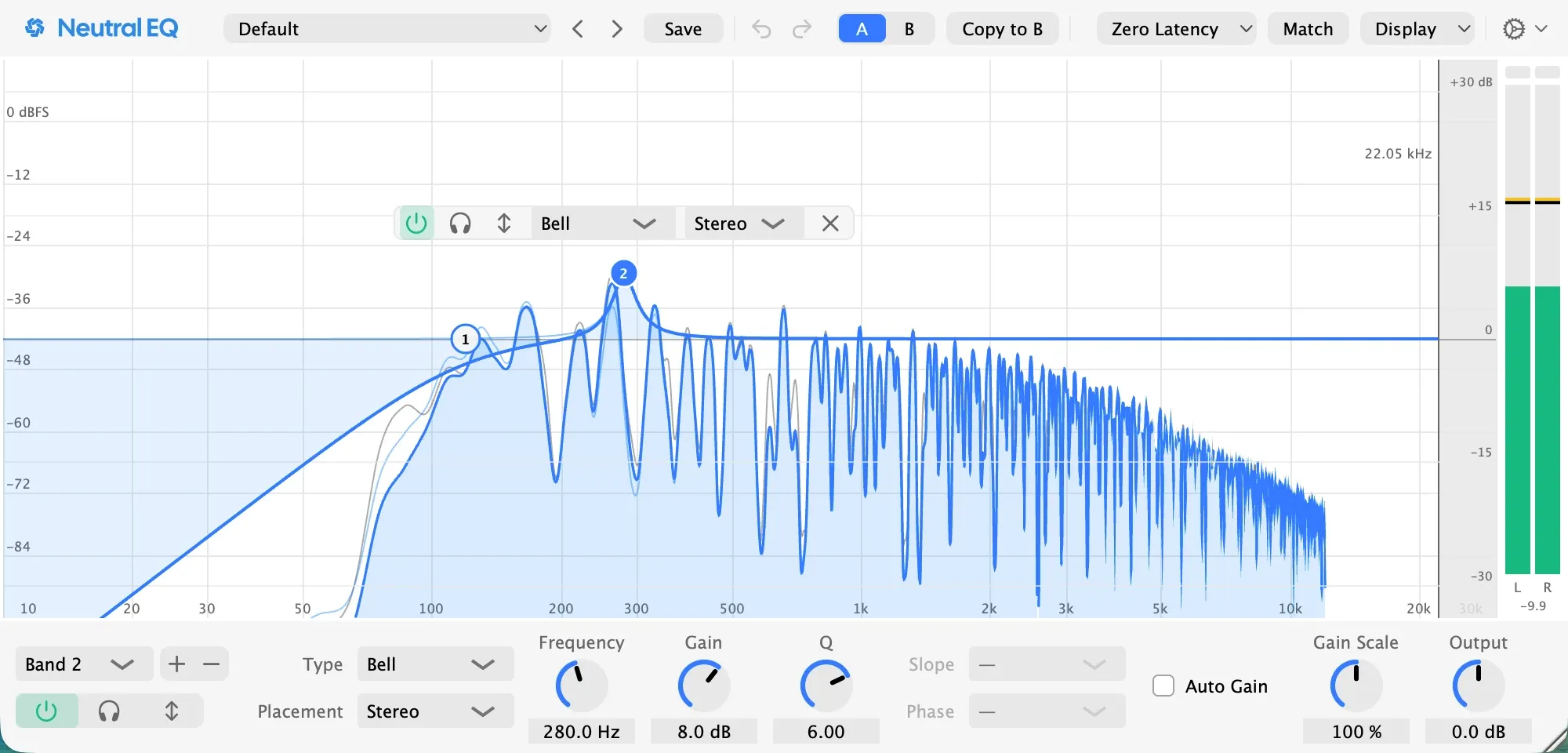
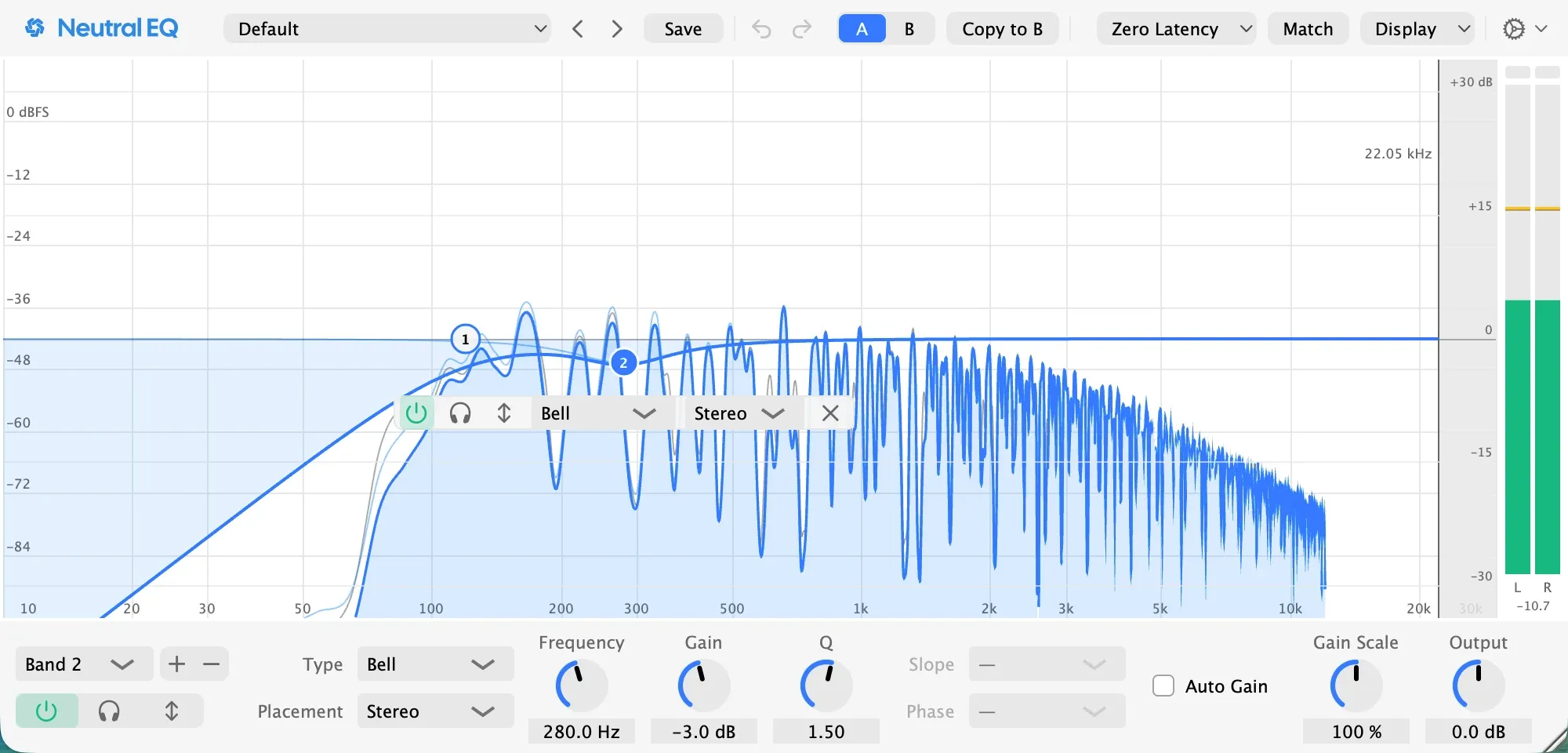
Make a narrow band, boost it eight decibels, and sweep it slowly while the loop plays. The bad spot jumps out, and on this pad it jumped out at 280 Hz, a box that the analyzer had been showing all along. Then turn the boost into a cut of two to four decibels and widen it, here three decibels with a Q of 1.5, and listen with the song, because a cut that sounds right alone is often too deep in the mix.
Pro tip: if the box shows only on the loud chords, make the cut dynamic, so it acts on those and leaves the quiet ones alone.
4. Lift last, and broad
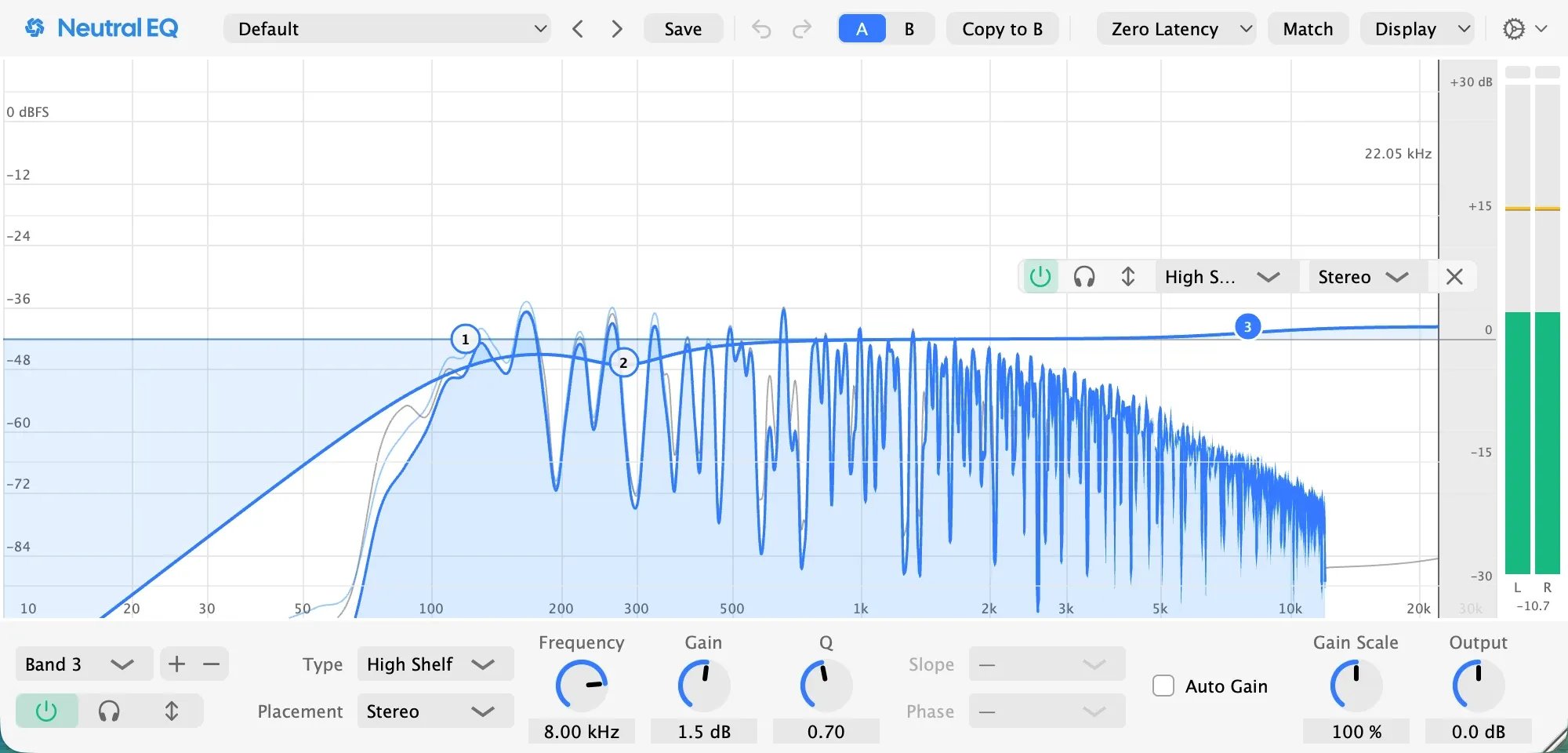
A boost should be wide and small: a shelf of a decibel or two for air, or a broad bell for warmth. On this pad a high shelf of a decibel and a half at 8 kHz brings the air back that the chords lost behind the hats. Narrow boosts ring. If a sound wants more than three decibels of lift, the sound is wrong for the part, and in a digital session the fix is a different sample or a layer on top, never a bigger band.
Check it
Switch the EQ off and on while the song plays. If you cannot hear the difference, remove moves until you can; if it sounds better off, start again. Every band should earn its place by a change you can name.
Pro tip: judge at matched level, with Auto Gain on, and by switching the band off in the full mix rather than soloing it, because solo flatters a cut and louder always sounds better.
If the sound was recorded with a microphone
Same order, more to cut. A microphone hears the room, so the low cut earns its keep on almost everything, and the sweep in step 3 usually finds a room resonance as well as the sound’s own. A recorded sound often needs two cuts where a sample needs one.
In Neutral EQ
The factory presets are this method applied to one source each, a low cut and one or two moves, in folders by instrument: load the closest one and move its bands to where your sound rings. The analyzer draws the sound as it plays under the curve, with Note Names on it prints the spot as a note, and each band’s solo button plays only that band’s range, which is the sweep without the boost. The presets page lists every folder.
Going further
Use few bands. A low cut, one cut and one gentle shape is a normal EQ on a track. Eight bands means the sound was wrong to begin with.
The order is less important than the size. Cut first because a cut makes room, but the rule that holds everywhere is small moves: two or three decibels, and a cut of six is a sign something else is wrong.
The next tools after the bands. A dynamic band acts only while the problem is there. Mid and side placement shapes the centre and the width apart. Linear phase is for the few moves that must not bend the phase, at a cost in latency.
Questions people ask
How do I EQ properly?
In one order: with the whole mix playing, cut what does not belong to the sound, find the one spot that bothers you with a narrow sweep and cut it, then lift broadly and last. Keep every move small, use as few bands as the sound needs, and prove each one by switching it off at matched level.
Should I cut or boost?
Cut first, because a cut makes room and a boost takes it. A boost is for the last step, wide and a decibel or two. If a sound needs more than three decibels of lift, the sound is wrong for the part: in a digital session, change the sample or layer one, then EQ.
How many EQ bands should I use?
As few as the sound needs. A low cut, one cut and one gentle shape is a normal EQ on a track. Eight bands on one sound means the sound is wrong or you have stopped listening; the fix is a different sound, not a ninth band.
Related pages
Made in Neutral EQ on a session built for this page: a drum machine beat, a synth bass and a pad in Neutral Tracks, the EQ on the pad. Every picture is the plugin as it was set for that step.