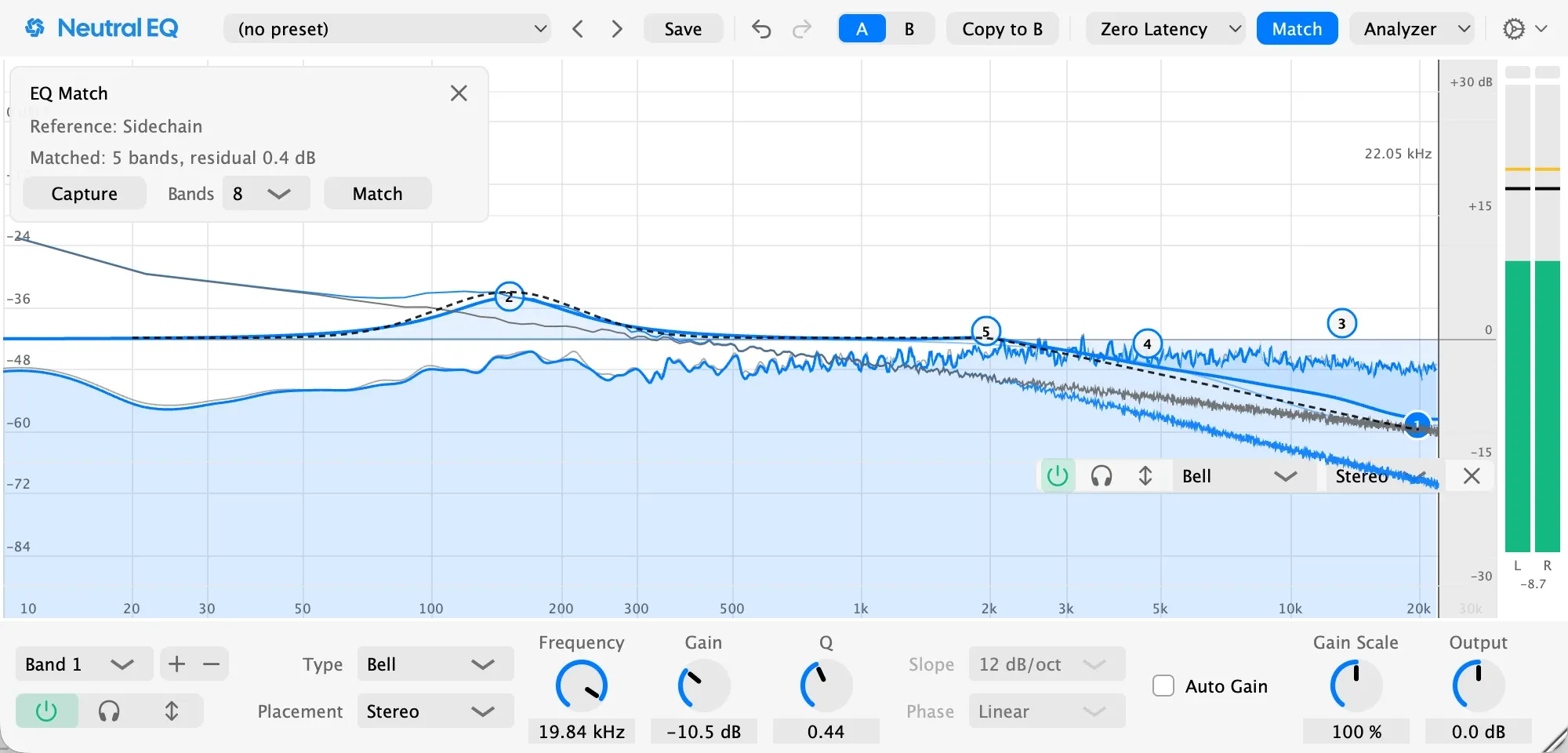
Match a reference.
Capture a record you love, and Match draws the curve that gets you closer.
Coming

What you draw is what you hear.
Neutral EQ is a 24-band parametric EQ plugin for Mac, as VST3 and Audio Unit. Clean, precise, and simple to use in any DAW.
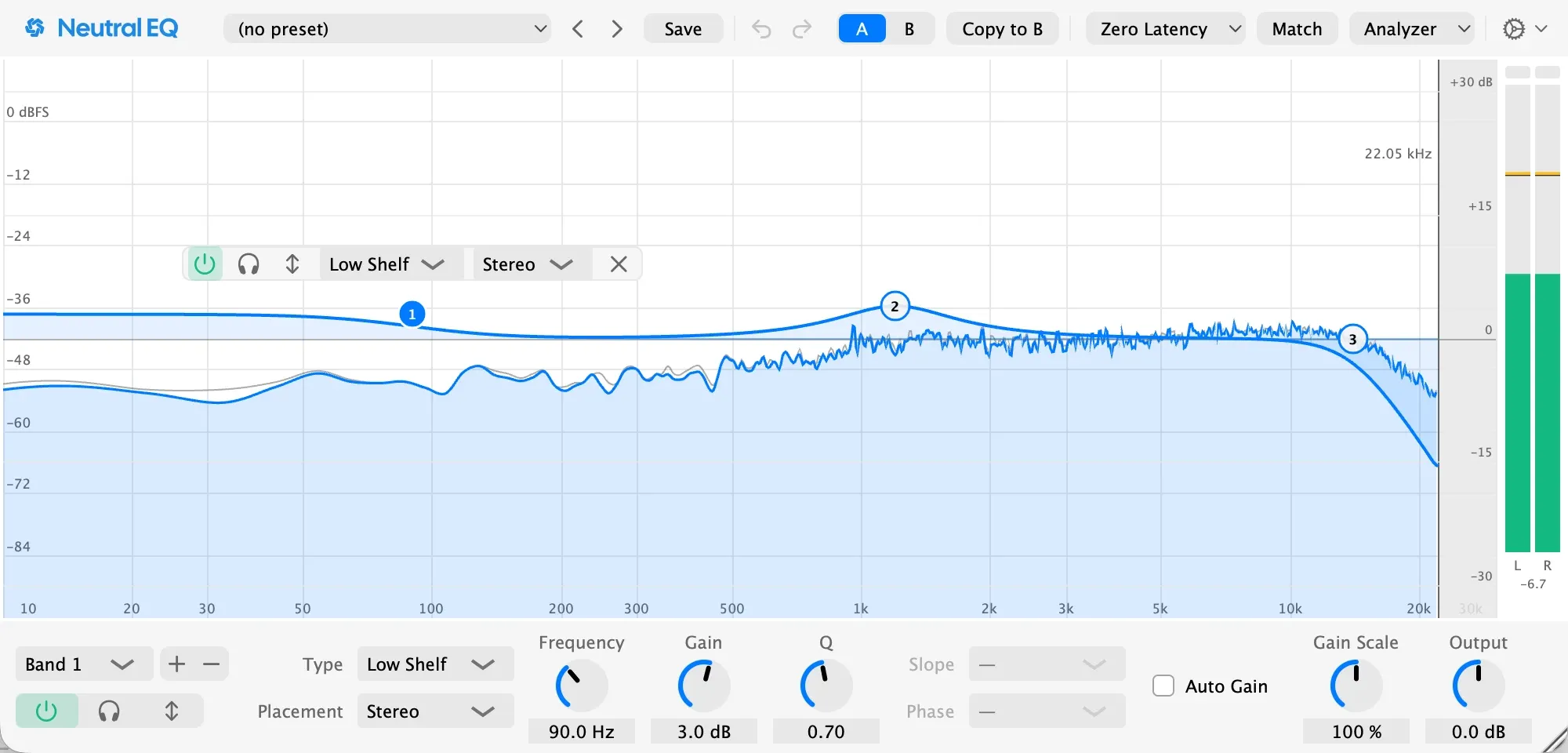
An EQ shapes the balance of a sound: less boom in a kick, more air on a vocal, a harsh ring taken out. Neutral EQ gives you up to 24 bands over a live view of your audio, and leaves alone everything you don't touch.
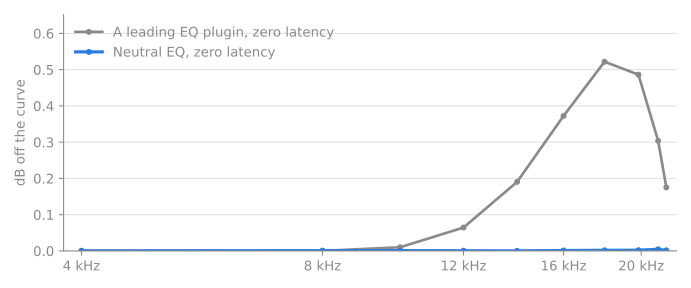
The curve on screen is the sound you hear, right up to the top of the audio range, at every sample rate, even with no added delay.
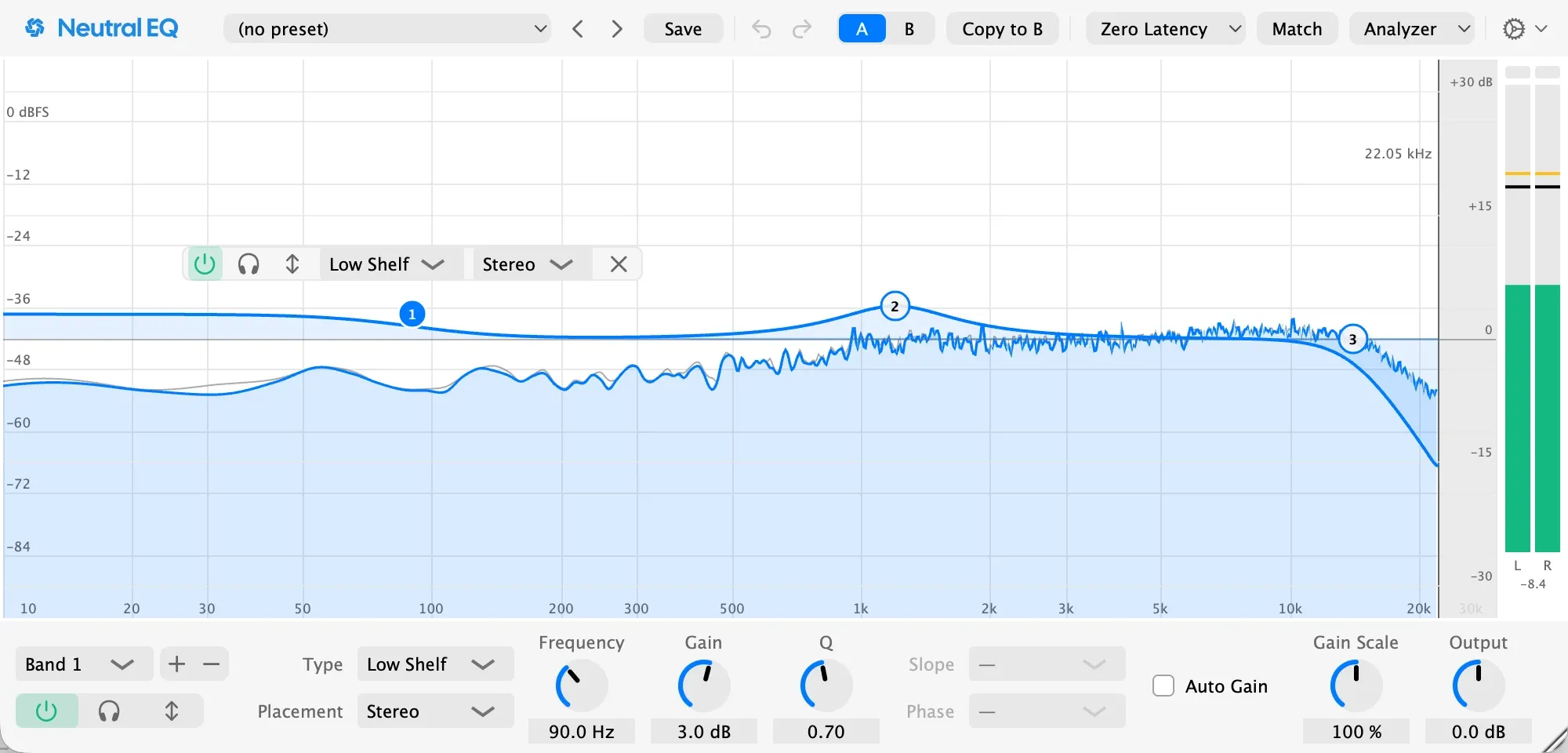
Your sound plays on the display as you work. Grab a peak and pull it down, or type a frequency.
A band can move only when the sound flares, and another track can drive it, so the kick ducks the bass only where the kick sits.
Open the EQ on the kick and on the bass to see both in one display, each in its track's color, with the overlap in red.
Zero Latency for recording, Exact Curve for the shape and phase of an analog EQ, and Linear Phase for mastering.
Capture a record you love, and Match draws the curve that gets you closer.
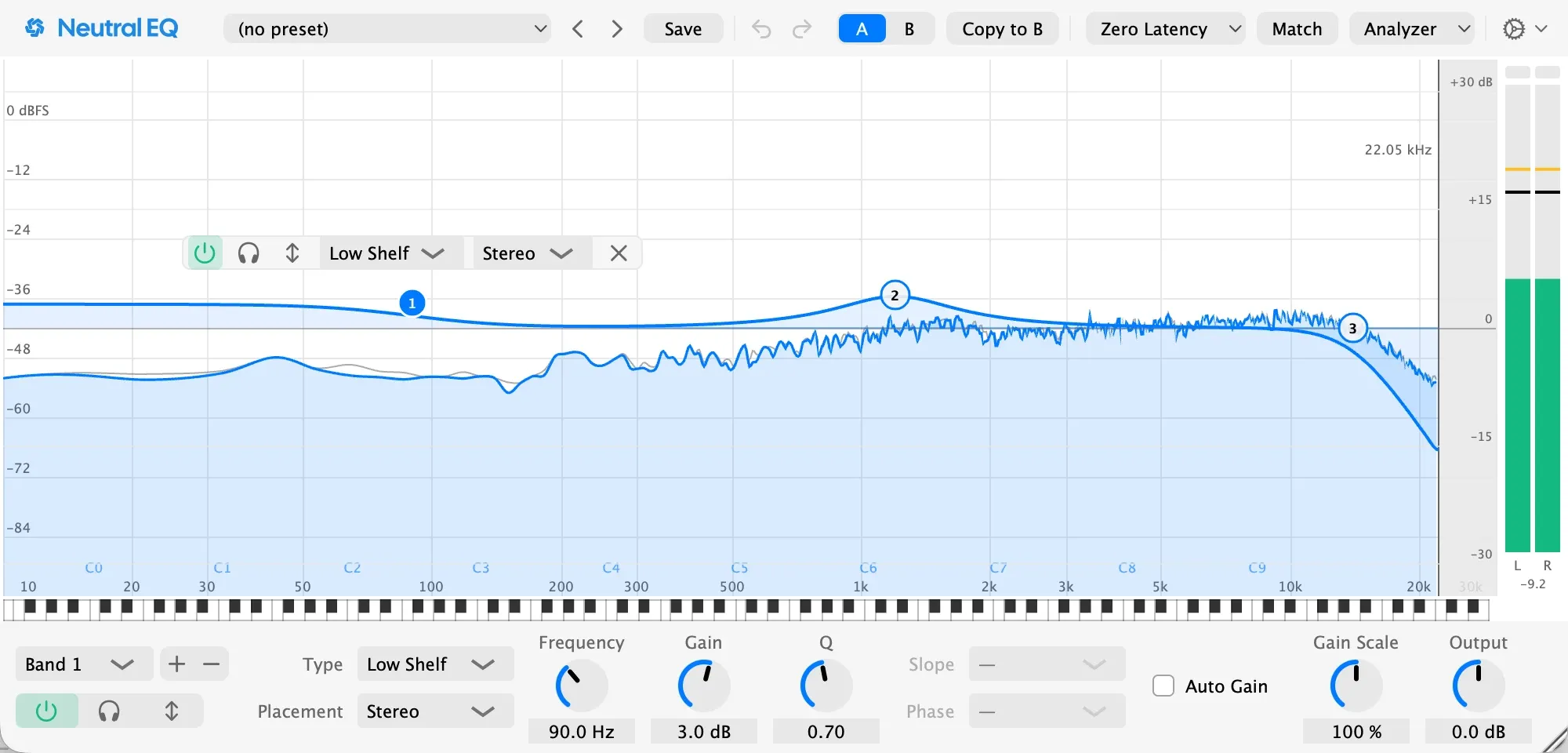
Show note names and a piano roll along the axis, so a ringing tone reads as the note it is.
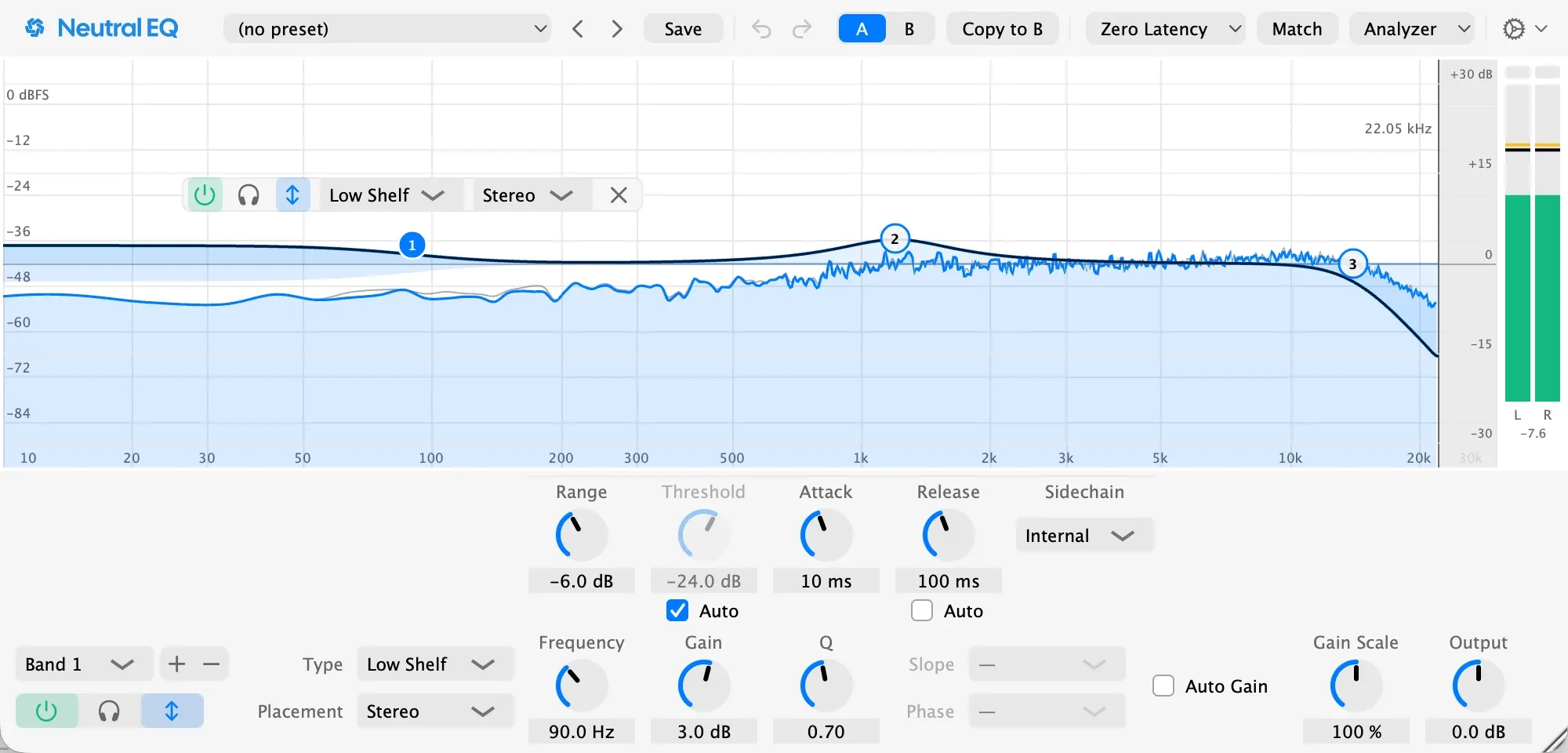
Solo, A/B, undo in any DAW, and Auto Gain, so a louder sound never fools you into hearing a better one.
VST3 and AU in any Mac DAW that hosts them, on macOS 13 or later. Verified so far in Ableton Live, Bitwig Studio, Cubase, FL Studio, Logic Pro, REAPER, and Studio One. It follows your Mac's light and dark mode, resizes and remembers its size, and every control is named for VoiceOver.

The basics first, then what the tests measure. Every measured number is a limit a release has to pass, through a real DAW.
VST3 and Audio Unit, for any Mac DAW that hosts them.
Up to 24.
Bell, low shelf, high shelf, tilt shelf, notch, band-pass, low cut, and high cut.
6, 12, 18, 24, 36, 48, 72, and 96 dB/oct.
Stereo, left, right, mid, or side, per band.
Frequency 10 Hz to 30 kHz, gain ±30 dB, Q 0.1 to 30, output ±24 dB.
44.1 to 192 kHz.
64-bit floating point throughout.
The EQ's own rounding sits far below anything a converter can play.
Zero Latency none. Exact Curve 7.3 ms at 44.1 kHz, 6.7 at 48, 6.0 at 96. Linear Phase 24.7 to 373.0 ms at 44.1 kHz by resolution, 22.7 to 342.7 at 48, 22.0 to 342.0 at 96.
Your DAW compensates for it, so tracks stay in time.
In samples: Exact Curve 320 at 44.1 and 48 kHz, 576 at 96 kHz; Linear Phase 1088 to 16448 at 44.1 and 48 kHz, 2112 to 32832 at 96 kHz.
Bell within 0.006 dB of the analog curve to 20 kHz at 44.1 and 192 kHz; shelf within 0.005 dB to 21.5 kHz.
The curve on screen is the curve you hear, with no added delay.
A +6 dB bell and +12 dB shelves, swept against the analog formula the manual prints.
Bell and shelf within 0.002 dB of the analog curve to 21.5 kHz at 44.1 kHz, phase within 0.05 degrees of the analog filter.
The shape and phase of an analog EQ, at any sample rate.
Bell within 0.02 dB of the analytic curve to 20.5 kHz, no phase shift.
Eight types, the cuts at all 8 slopes, at 44.1, 96, and 192 kHz, on stereo, mid, and side.
At or below −300 dB relative to the tone, in Zero Latency and in Exact Curve.
Distortion and noise a boost adds. Far below what any converter can play.
1 kHz at −6 dBFS through a +6 dB bell, captured in 64-bit; the rig reads its own tone below −330 dB.
At or below −285 dB relative to the tone in the worst case, −300 dB at the extreme setting.
Even at the most demanding settings, the EQ's own rounding stays inaudible.
The worst case is a 96 dB/oct low cut with its corner on the tone; the extreme setting is a 20 Hz bell at Q 30 and +30 dB.
Below −250 dB against the 7 kHz tone.
No new tones appear when a low and a high sound play together.
60 Hz at −6 dBFS with 7 kHz at −18 dBFS, the 4:1 SMPTE pair, captured in 64-bit.
Below −255 dB against the 20 kHz tone.
19 kHz and 20 kHz at −9 dBFS each, captured in 64-bit.
Below −275 dB relative to the total, everything that is not the tones, aliasing products included.
Nothing added to a busy, full-range signal.
24 tones spaced evenly in pitch, each fitted exactly and removed.
Bit-exact in Zero Latency. Below −300 dB relative to the signal in Exact Curve and Linear Phase, through the delay the host compensates.
With nothing engaged, your audio passes through unchanged.
An impulse rendered through the plugin at defaults against the same render with no plugin.
Bit-exact and latency-matched, in every mode.
Bypass compares fairly, with no jump in time or level.
The same state rendered in REAPER and in Neutral Tracks nulls below −300 dB relative to the signal.
Artifact-free through band on and off, type switches, and frequency sweeps.
Moving or automating a band never clicks.
One decibel per decibel over the threshold, within a tenth of a decibel.
Holds pink noise within 0.5 dB through a bell, a shelf, and a cut.
Recovers a three-bell target within 0.25 dB.
$49 once. Updates are free.
The plugin runs in full for 30 days, then mutes one second in every minute until a key is entered. One key licenses it in every DAW you use.
One email when it ships, and nothing in between.